

Retro 3D Arcade Game with Simple Controls
Overview
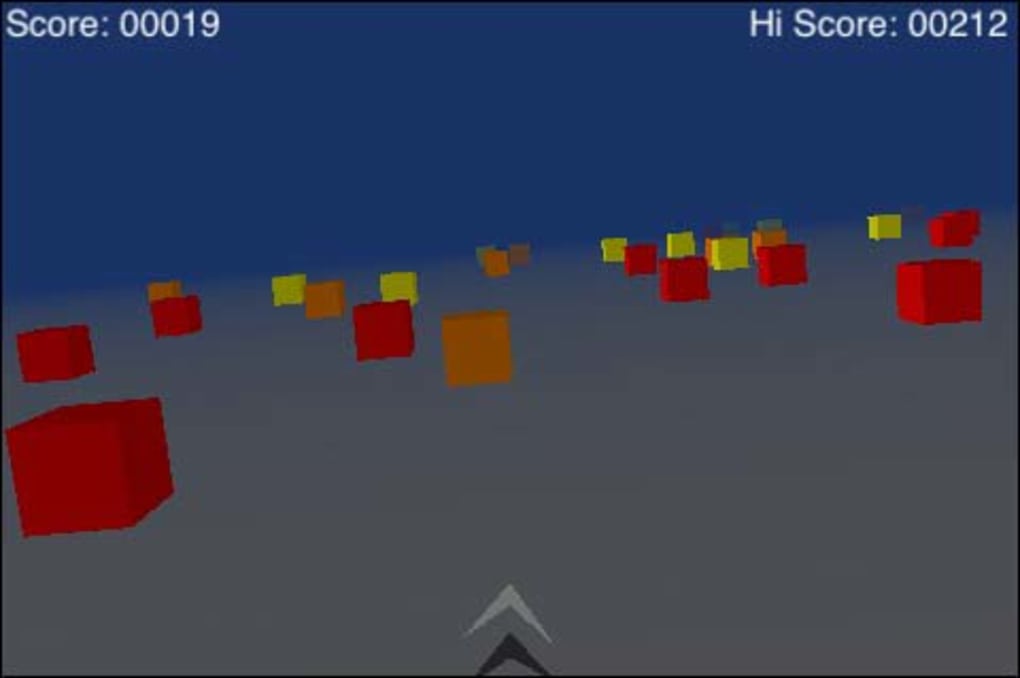
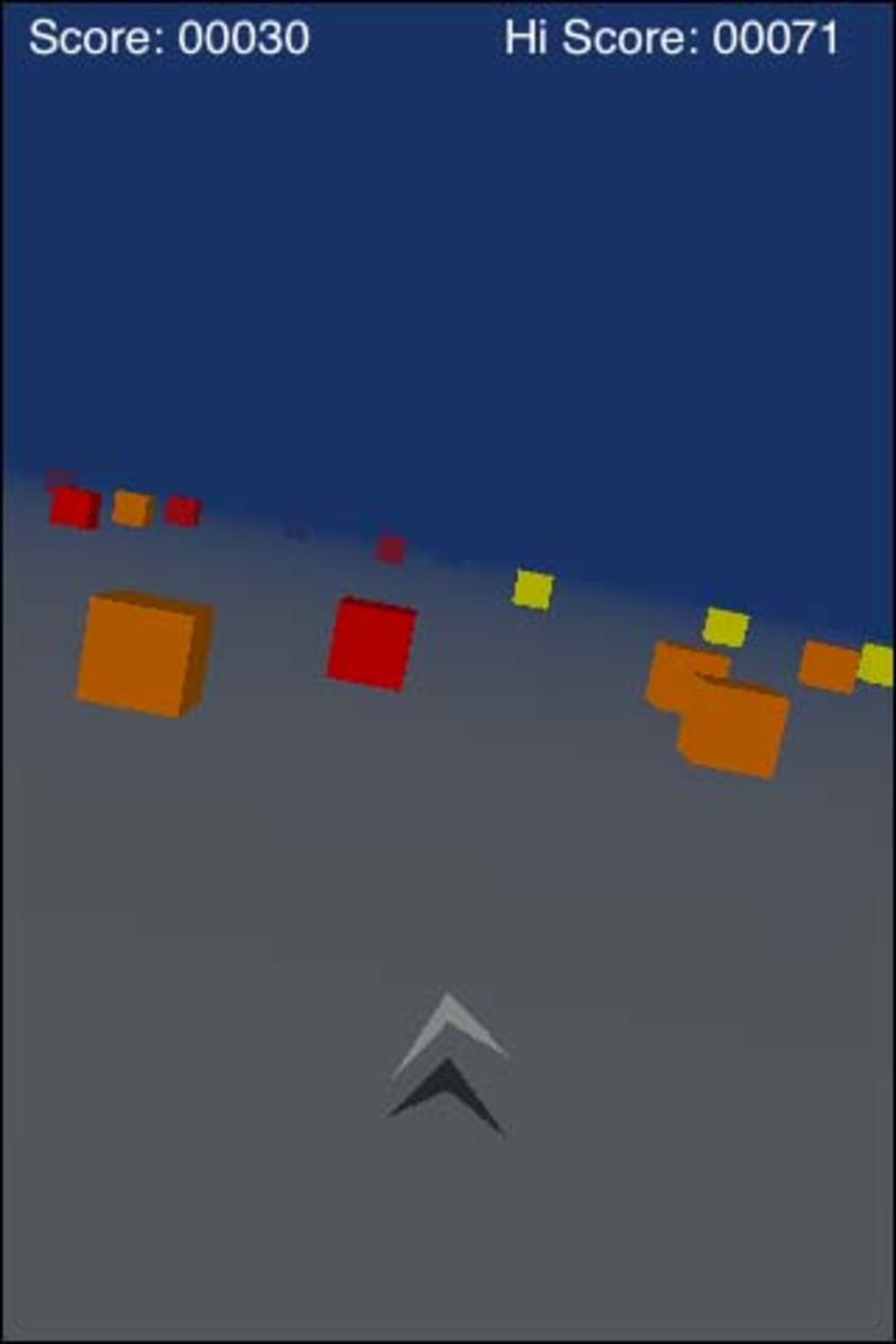
Cube Runner is a retro-inspired 3D arcade game designed to evoke the early days of 3D gaming, where the novelty of moving graphics was enough to captivate players. The game centers around a triangular craft navigating a flat, minimalist landscape filled with colored blocks. Players must tilt their device or use keyboard controls to steer, avoiding obstacles while maintaining a constant forward speed.
The goal is straightforward: survive as long as possible to maximize your score. With three difficulty levels—ranging from easy to hard—the game caters to casual players seeking a quick, nostalgic experience and those looking for a slightly more challenging run. The developer did not provide additional details about the background or development team.
The game is ideal for short gaming sessions, offering a low-stakes, reflex-based challenge. Real-world usage includes relaxation during breaks, casual entertainment, or testing simple control schemes. Its lightweight design and minimal system demands make it accessible for users on older or basic hardware.
Key Features & Capabilities
- Minimalist 3D Environment – The game presents a clean, blank plane with geometric blocks, emphasizing gameplay over visual complexity. This design keeps focus on movement and timing.
- Simple Tilt-Based Controls – Players steer using tilt input or keyboard commands, requiring only basic motor coordination to navigate the course.
- Three Difficulty Levels – From easy to hard, the game adjusts obstacle density and timing to suit different skill levels and play styles.
- Old-School Techno Soundtrack – A retro-inspired electronic soundtrack enhances the nostalgic atmosphere, though players can disable audio to use personal music.
- Score-Based Progression – Your score increases continuously while surviving, encouraging extended play sessions without complex objectives.
These features support a streamlined, reflex-driven experience. For example, the tilt mechanics allow for quick directional changes, ideal for short bursts of gameplay. The difficulty scaling ensures that both newcomers and experienced players can find a suitable challenge.
The ability to disable sound allows for customization, letting users integrate their own audio environment. The minimalist visuals reduce cognitive load, making the game easy to pick up and play immediately. While the graphics are described as lacking retro charm, they serve the core gameplay purpose effectively.
User Interface, Workflow & Performance
The user interface of Cube Runner is intentionally simple, focusing on clarity and immediate accessibility. The main screen displays the 3D path, the player’s triangular craft, and the surrounding blocks, with minimal on-screen indicators. Navigation is direct: tilt or press keys to steer, with no menus or settings during gameplay.
The workflow is linear—start, play, survive, end—making it ideal for quick sessions. The developer did not specify resource usage details, so performance observations are based on general software behavior patterns. The game runs smoothly on systems meeting basic requirements, though users may experience jerky movement during sharp turns.
This lag could affect precision in higher difficulty levels. Stability appears consistent during standard play, with no reported crashes. The game does not consume significant CPU or RAM resources, which aligns with its lightweight design.
However, the responsiveness of controls may vary depending on input device and system configuration.
Compatibility & System Requirements
Cube Runner is compatible with both Windows and Mac operating systems. The software version is 1.0.2, and the installation size is 12 MB, indicating a compact, efficient package. The developer did not specify exact system requirements, so compatibility with specific hardware configurations is unknown.
The game likely runs on older or low-end systems due to its minimal resource footprint. Platform compatibility information is limited to the two major desktop platforms. No mobile or console versions are mentioned.
The software is designed for desktop use, with input methods optimized for keyboard and tilt control. No additional peripherals are required. Users should ensure their system supports 3D rendering, though the game’s simplicity suggests minimal graphical demands.
Pros and Cons
Pros
- Free to download and use
- Lightweight at just 12 MB
- Simple, intuitive controls ideal for casual play
- Three difficulty levels offer varied challenge
- Old-school techno soundtrack enhances retro feel
- Minimalist design reduces distractions
Cons
- Controls can feel slow and jerky during sharp turns
- Graphics lack visual charm despite retro theme
- Limited on-screen feedback during gameplay
- Performance may vary based on input device
- Minimal user customization options
FAQ Section
Is Cube Runner available for Windows and Mac?
Yes, Cube Runner is compatible with both Windows and Mac operating systems.
Is the game free to download?
Yes, Cube Runner is available at no cost, with no in-app purchases or hidden fees.
Does the game require an internet connection?
No, Cube Runner can be played entirely offline. No online features or connectivity are needed.
How often are updates released?
Updates are released periodically to fix bugs and improve stability. The latest version is 1.0.2, which includes fixes for rotation display and explosion sound issues.
What kind of license does Cube Runner have?
Cube Runner is distributed under a free license, allowing unrestricted use and personal distribution.
Final Thoughts
Cube Runner delivers a nostalgic, no-frills arcade experience that honors the early days of 3D gaming. While its minimalist graphics and slightly laggy controls may not appeal to everyone, the game’s simplicity and low barrier to entry make it a solid choice for casual players. The retro techno soundtrack and score-based progression enhance replayability, especially for those seeking a quick, reflex-based challenge.
Despite minor flaws in control responsiveness and visual design, the game remains functional and enjoyable. It’s best suited for users who appreciate straightforward gameplay and don’t mind a slightly dated aesthetic. For those looking for a lightweight, free desktop game to pass time, Cube Runner offers a surprisingly engaging experience.
Download Cube Runner now.







